
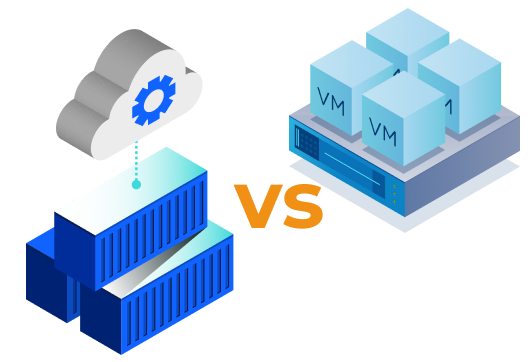
When evaluating infrastructure costs, the choice between traditional Virtual Machines (VMs) and containerization managed by Kubernetes (K8s) represents a fundamental shift in how compute, memory, and operational resources are consumed.
While VMs virtualize hardware, containers virtualize the operating system kernel. This architectural difference delivers significant infrastructure and operational cost savings when managed at scale.
1. High Workload Density & Reduced OS Overhead
In traditional virtualization, every Virtual Machine requires its own full Guest Operating System (OS), virtualized drivers, and dedicated system memory.
-
Traditional VMs: A single VM hosting a simple microservice may consume 1–2 GB of RAM and 15–30 GB of storage just to run the underlying Guest OS.
-
Kubernetes Containers: Containers share the host machine’s OS kernel. The runtime footprint drops to 100–200 MB per instance.
Financial Impact: Sharing the host kernel allows organizations to pack 5x to 10x more containerized workloads onto the same physical hardware or cloud VM instance compared to running dedicated VMs for each app.
2. Bin-Packing & Higher Resource Utilization

In a traditional VM environment, applications are over-provisioned to handle rare traffic spikes. As a result, typical VM CPU/RAM utilization averages between 10% and 20%, leaving 80%+ of purchased compute idling.
Kubernetes solves this with intelligent bin-packing and scheduler-driven allocation:
-
Resource Requests & Limits: Pods declare the exact CPU and memory they need. Kubernetes dynamically schedules containers across worker nodes to maximize total node usage.
-
High Average Utilization: Well-tuned Kubernetes clusters regularly achieve 60% to 80% compute utilization, drastically reducing the total number of cloud instances or bare-metal servers needed.
3. Rapid Scaling & Real-Time Elasticity
Scaling VMs requires booting a complete OS, which takes anywhere from 2 to 10 minutes. To avoid downtime during sudden traffic spikes, organizations are forced to keep extra VM capacity running 24/7 (“buffer capacity”).
-
Kubernetes Scaling: Containers spin up in milliseconds or seconds.
-
Granular Autoscaling: Using the Horizontal Pod Autoscaler (HPA) alongside the Cluster Autoscaler or Karpenter, Kubernetes adds granular application replicas instantly and provisions/tears down underlying compute nodes only when necessary.
[ Traditional VM Scaling ]    Slow Boot (3-5 min)  -->  High Idle Buffer Required ($$$)
[ Kubernetes Scaling ]       Fast Start (<5 sec)  -->  Zero Idle Capacity Needed ($)
4. Software Licensing & Maintenance Savings
| Cost Vector | Traditional VMs | Kubernetes Containers |
| OS Licensing | Paid per OS instance (e.g., Windows Server / Enterprise RHEL per VM) | Paid only per worker node host (dozens of containers share one OS) |
| Hypervisor Fees | High costs for commercial hypervisor licenses (e.g., VMware vSphere) | Open-source foundation (Kubernetes, containerd) |
| Patching & Maintenance | Upgrades require patching individual OS copies on every VM | Immutable container images; OS patching done at host level only |
| Recovery Speed | Minutes to restore or failover a full VM state | Seconds to reschedule a failed pod onto a healthy node |
Hidden Costs & Trade-offs of Kubernetes
While containerization offers 50% to 70% infrastructure savings, it introduces distinct management overheads:
-
Control Plane Fees: Managed cloud Kubernetes services (AWS EKS, Google GKE, Azure AKS) charge hourly control plane management fees (~$73/month per cluster) plus worker node pricing.
-
Engineering Complexity: Setting up Kubernetes ingress, service meshes, persistent storage, and network policies requires specialized FinOps and DevOps expertise.
-
Over-Provisioned Requests: If engineers request far more CPU/RAM than containers consume, Kubernetes reservation models can lead to wasted capacity (“waste on the node”).